For band leaders and working musicians
Build your setlist.
Change it just as easily.
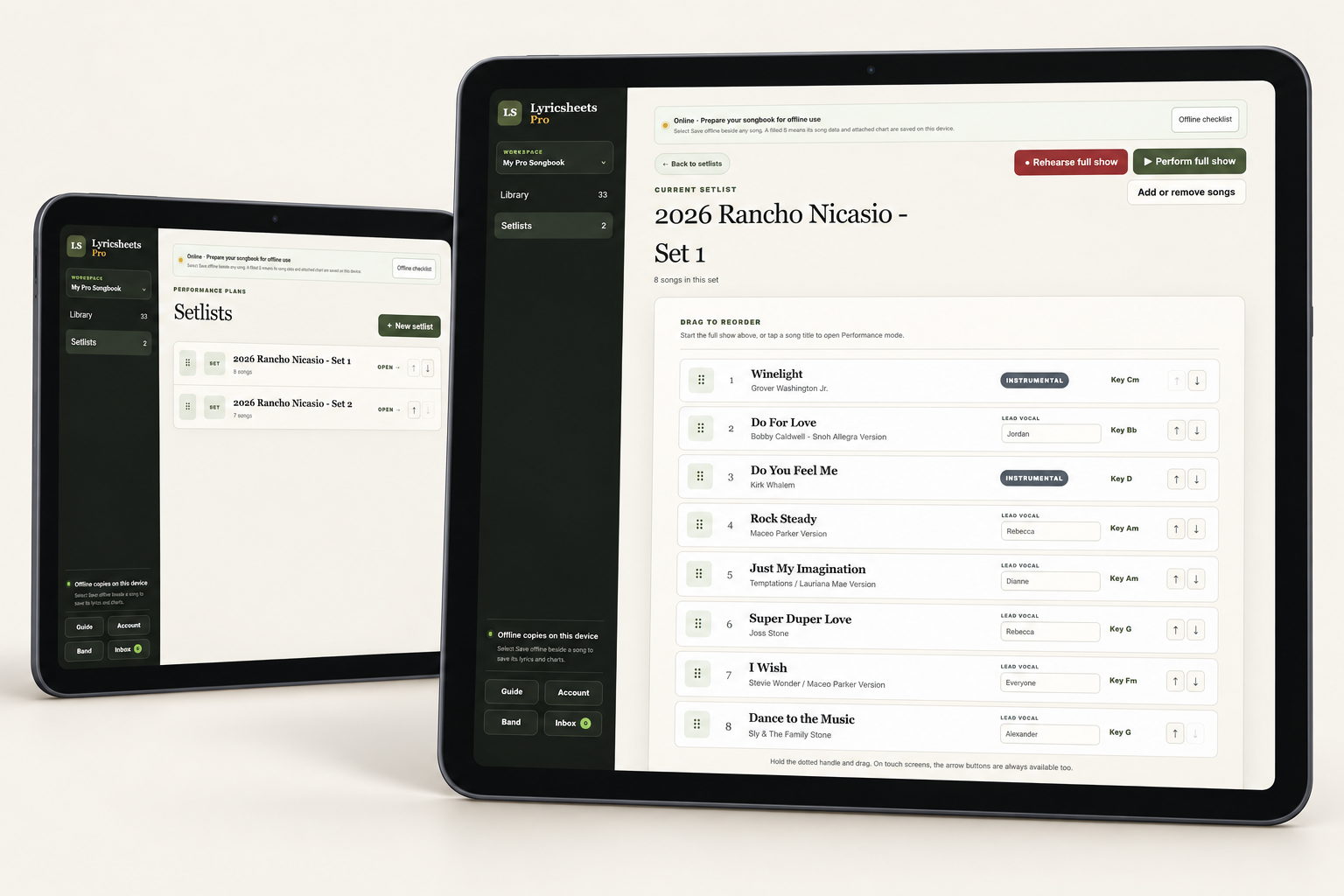
Keep your lyrics and chord charts ready for live performance. Drag and drop to reorder songs, then move through the set in performance view. Pro keeps multiple bands organized and shares each band's setlists with up to 10 members for free.
From files to a finished set
Make short work of gig prep.
Bring in the music you already have, choose your songs, and adjust the order as the gig takes shape.
- 01
Import it. Skip the retyping.
Import lyrics from .txt or .docx files and upload PDF, JPEG, or PNG charts. Even photos and scans can become part of your songbook, with cropping to fit the screen. Keep the key, tempo, and notes with the song for the next time you need it.
- 02
Click to add. Click to remove.
Create a setlist and add songs from your library with a click. Need a shorter set? Click to remove songs from the set as your plans change. Build separate lists for each part of the show.
- 03
Drag, drop, and you're reordered.
Try a stronger opener. Move a ballad later. Drag and drop songs into the order you want without rebuilding the setlist, or use the up and down arrows on a touch screen. Keep keys and lead vocal assignments in view as you plan the transitions.
- 04
Rehearse it. Then perform it.
Open a song in performance mode or start the full show from the setlist. Lyricsheets Pro also gives you rehearsal tools for recording takes, adding chapters, and looping sections alongside the song material.
Lyricsheets Pro · Band sharing
The right music.
For each group you lead.
Your jazz band needs its standards. Your church group needs the songs for Sunday's service. Manage both from one Pro account, with a separate repertoire, arrangements, setlists, rehearsal takes, and membership for each band. Keep every group's working material together and your personal songbook separate.
Share live, read-only songbooks and setlists with up to 10 members per band you manage. Members can view their group's shared lyrics and charts without buying Lyricsheets. Update the songs or set order once, and approved players see the current material on their own screens.
Explore rehearsal recording and playback →Before your next gig
Setlist questions, answered.
Do I need Pro to make a setlist?
No. Performer includes your personal song library, setlists, uploaded charts, and performance view. Pro adds band sharing, Chart Builder, and rehearsal tools. Performer is $24 for one year; Pro is $49 for one year. Neither renews automatically.
Can I use this on a tablet or phone?
Lyricsheets works in a modern browser on Apple and Android phones and tablets, as well as laptops and desktop computers. Each edition supports up to five registered personal devices.
Do my band members need their own copy of Lyricsheets?
No. Your Pro account can share live, read-only lyrics, charts, and setlists with up to 10 members per band you manage. Members can view the shared material without buying Lyricsheets, and each band's workspace keeps its songs and setlists separate from your other groups.
How should I prepare for a venue with weak internet?
Before the gig, use the app's offline checklist and save the songs and attached charts you need on the device you will bring. Check those saved copies before relying on them at the venue.