Chord Chart Builder · Lyricsheets Pro
Build the chart faster.
Make the arrangement yours.
Drag and drop chords into place. Add or delete chords, duplicate sections, and reuse material with copy and paste. Spend less time entering the same changes and more time shaping the arrangement.
01 / Build the arrangement
Place the chords. Reuse the work.
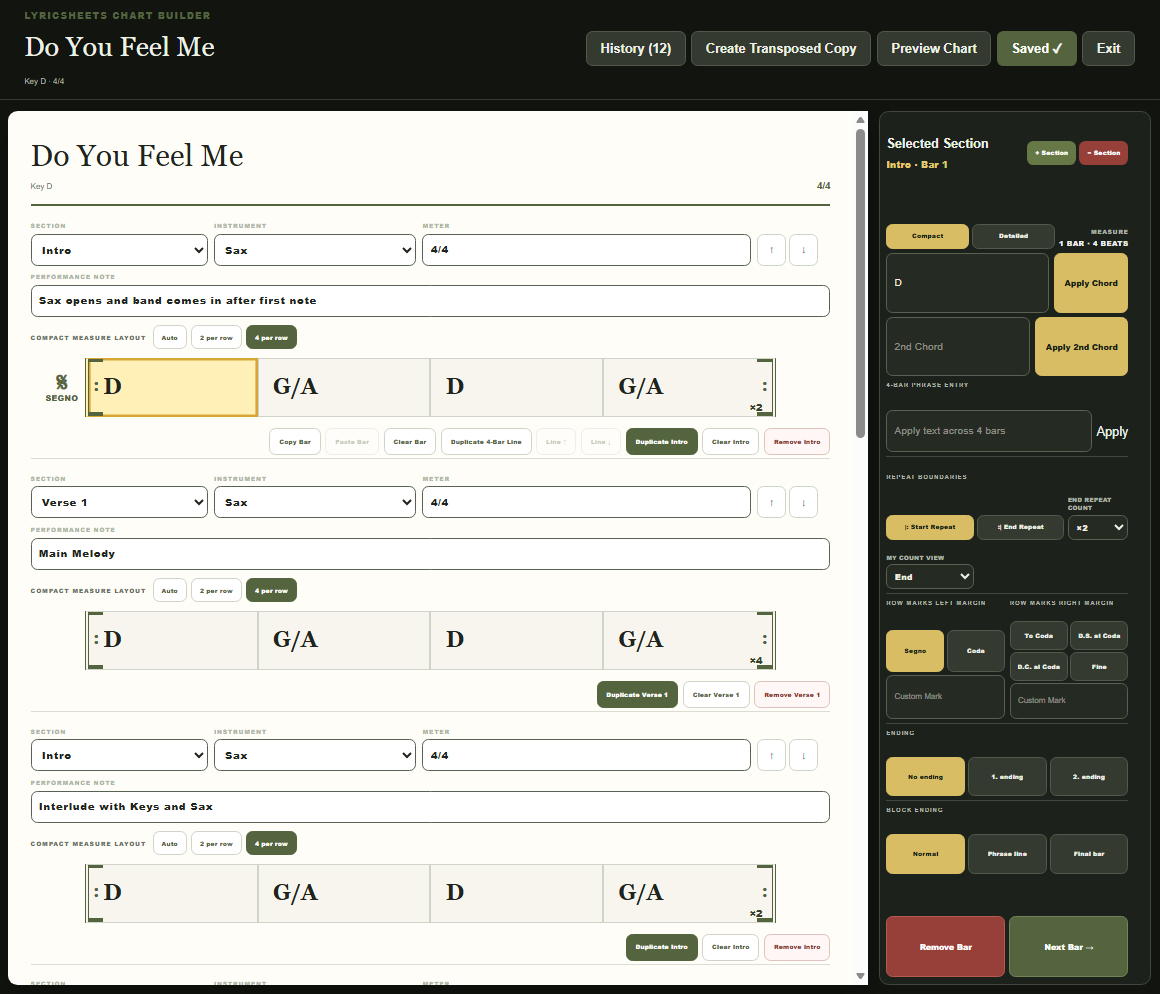
Choose a section, instrument, and meter, then drag and drop chords into place. Add a chord, delete a change you no longer need, and refine the progression as you work.
When the arrangement repeats, duplicate a section or four-bar line, then edit only what changes. Copy and paste lets you reuse material throughout the chart without entering it again. Choose compact or detailed editing and adjust the measures per row to suit the arrangement.
02 / Read the whole chart
See the song's structure.
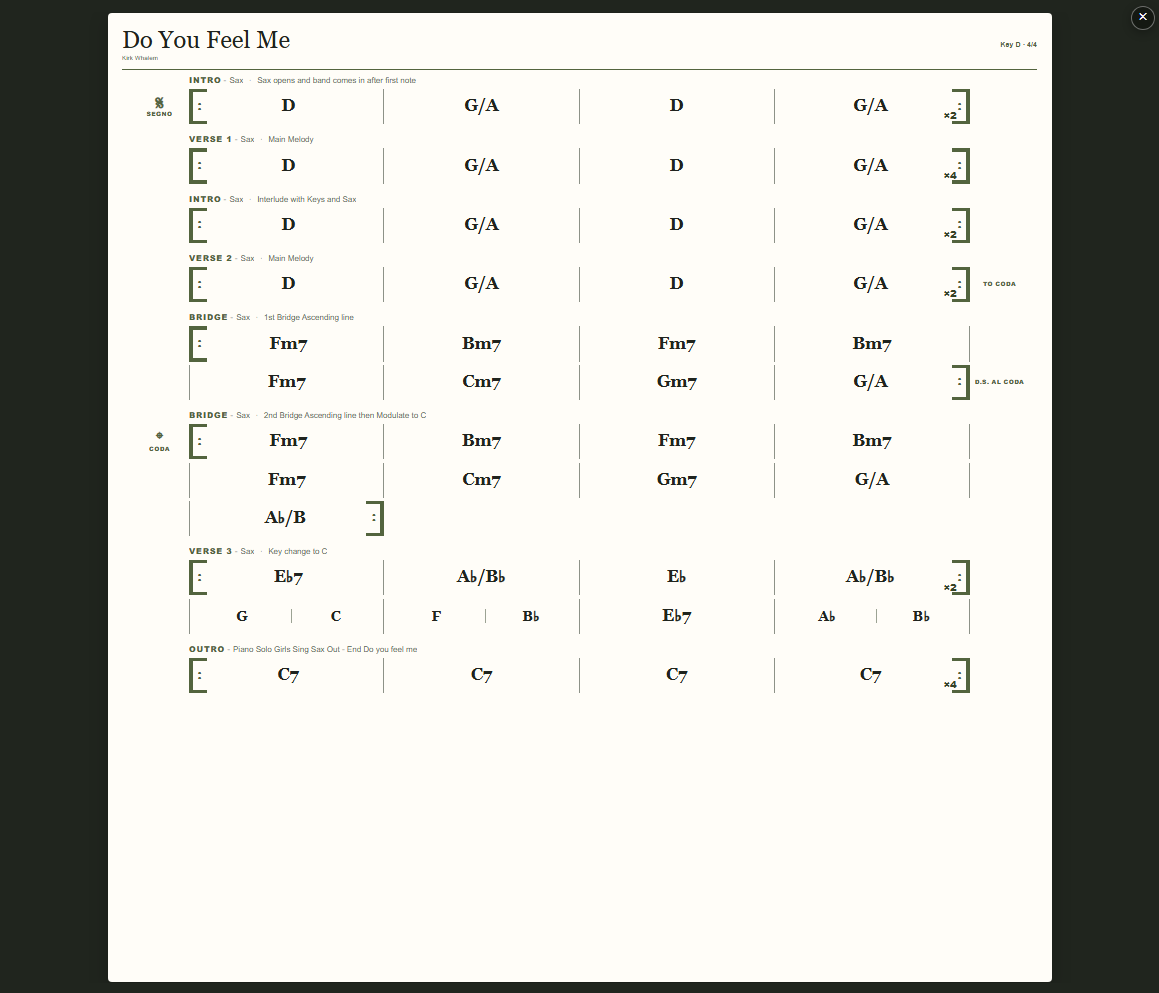
Preview the arrangement with the editing controls out of the way. Section labels, chord changes, repeat counts, and navigation marks make the form visible from intro to outro.
The finished chart shown here brings several verses, bridges, a key change, and an outro into one view, with short notes for the players at each section.
The details that keep players together
Mark the repeats.
Remember the ending.
Chart Builder includes start and end repeats, repeat counts, first and second endings, and navigation marks such as segno, coda, D.S. al Coda, and Fine. Put those decisions in the chart so players can follow the arrangement you intend.
Need a different key? Create a transposed copy from the editor. Use chart preview to review the result before bringing it into rehearsal.
Practice with your chart and rehearsal recordings →Chart Builder questions
Choose the right tools for your music.
Which edition includes Chart Builder?
Chart Builder is included in Lyricsheets Pro, along with rehearsal recording, looping, chapters, and band sharing. Pro costs $49 for one year, with no automatic renewal.
Can I upload an existing chart instead?
Yes. Both Performer and Pro support uploading and cropping PDF, JPEG, and PNG charts. Use Pro's Chart Builder when you want to create a chord chart within Lyricsheets.
Can I include instrument cues and arrangement notes?
Each section has instrument, meter, and performance-note fields. Use them to identify who leads a section, describe an entrance, or remind the band how the arrangement changes.
Do I need to enter every repeated section again?
No. Duplicate sections or four-bar lines and use copy and paste to reuse material. Then add, delete, or reposition chords to make the new passage fit the arrangement.
Can I create a chart in another key?
The editor includes Create Transposed Copy. Preview the new chart and review the arrangement in its new key.